With trial variables, you can vary aspects of trial presentations. There are four types of trial variables:
A trial variable consists of trial levels.
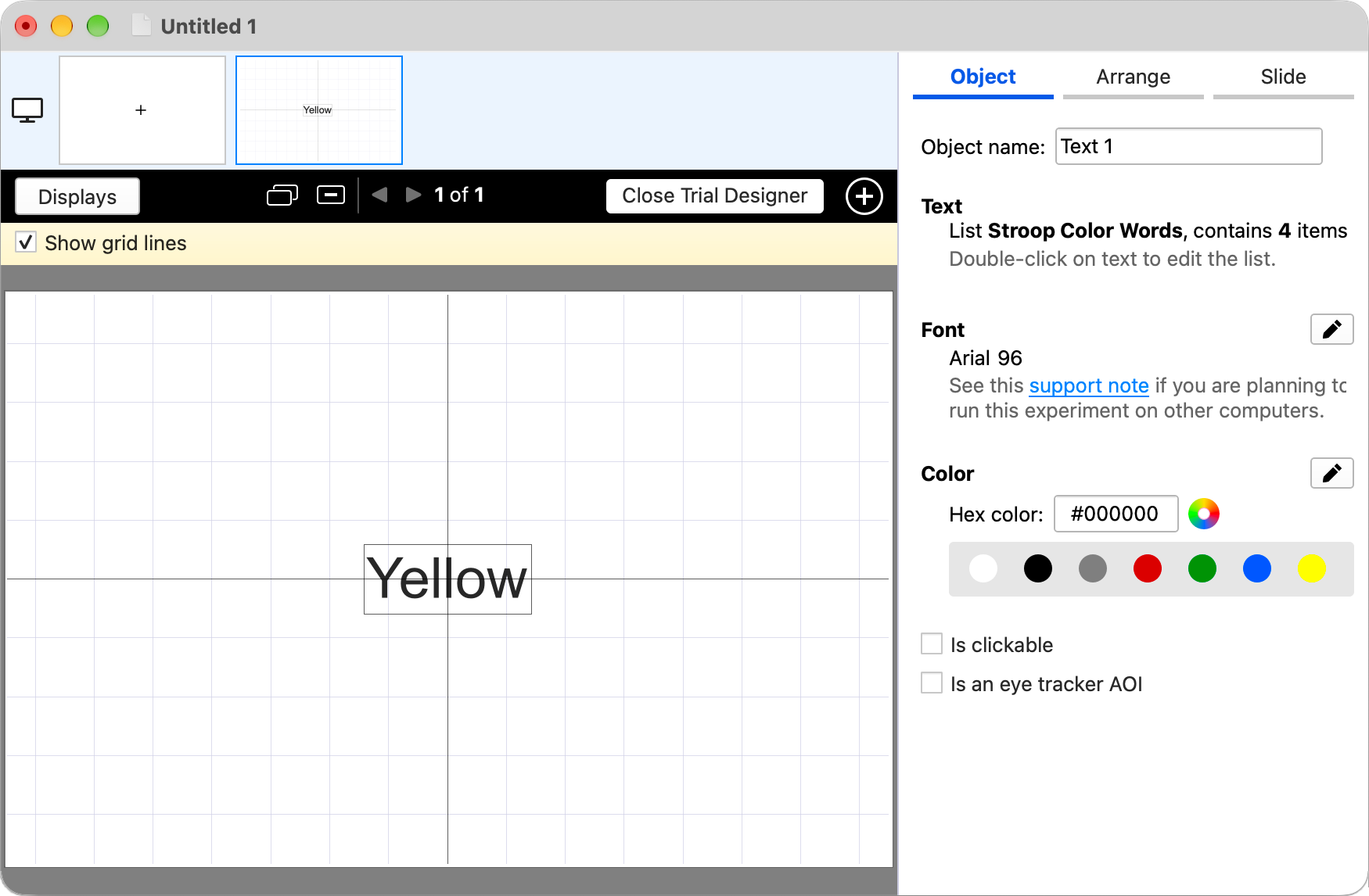
Complete editing of trial variables can be done when you click on Trial Variables in the sidebar. More conveniently, you can create them on the fly in the Trial Designer. Here is how it is done for colors:
In the screenshot above, a text object is selected. To make its color variable, click on the Color edit button
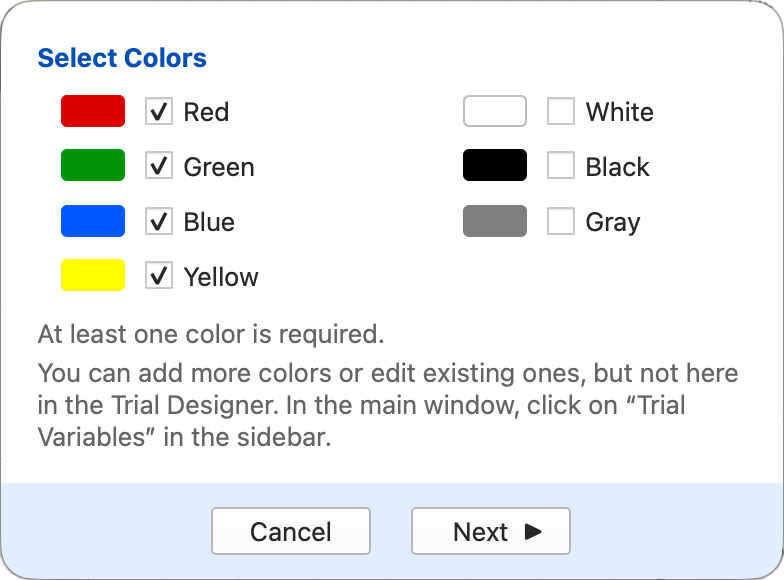
If you need different colors than the preset ones, you can define those colors later on by clicking on Trial Variables in the sidebar. For now, click on the Next
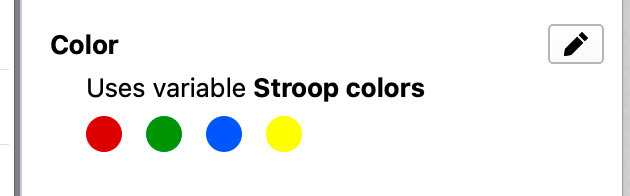
Back in the Trial Designer, click on the blue checkmark; SuperLab will show swatches of the colors used in the variable:
The same approach can be used to create other types of trial variables in the Trial Designer:
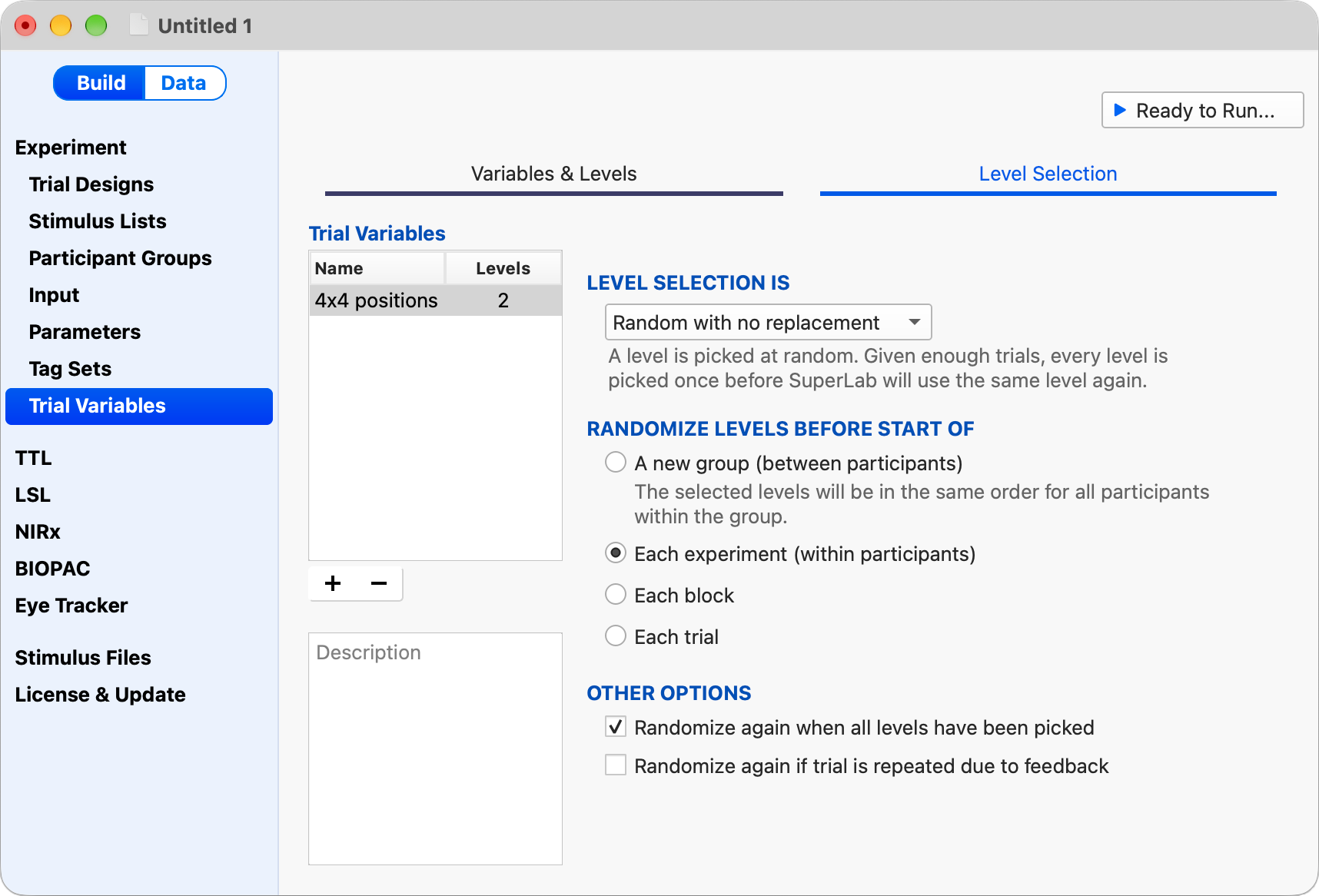
Click on Trial Variables in the sidebar. Editing trial levels is self-explanatory. Click on the Level Selection tab for more interesting options:
By default, trial levels are randomized with no replacement. You can change that, as well as set other options.


PRODUCTS
SUPPORT
STAY IN TOUCH


© Copyright 2026 Cedrus Corporation, P.O. Box 6309, San Pedro, CA 90734 - USA
Phone: +1-310-548-9595. Send us an email
qwerasdf